3 Policy Issues That Could Be Costing You Revenue—and How to Fix Them
Most publishers don’t lose revenue because of malicious code. They lose it because they don’t fully understand what the Google Ad Manager Policy Center is telling them.
When Google Ad Manager (GAM) flags your inventory, the impact can go beyond a single ad unit. Depending on the issue, demand can be restricted, ad serving can be limited, and your overall yield can take a hit.
One common mistake is treating every Policy Center alert as a content violation that needs a manual review. That’s not how GAM’s enforcement system works.
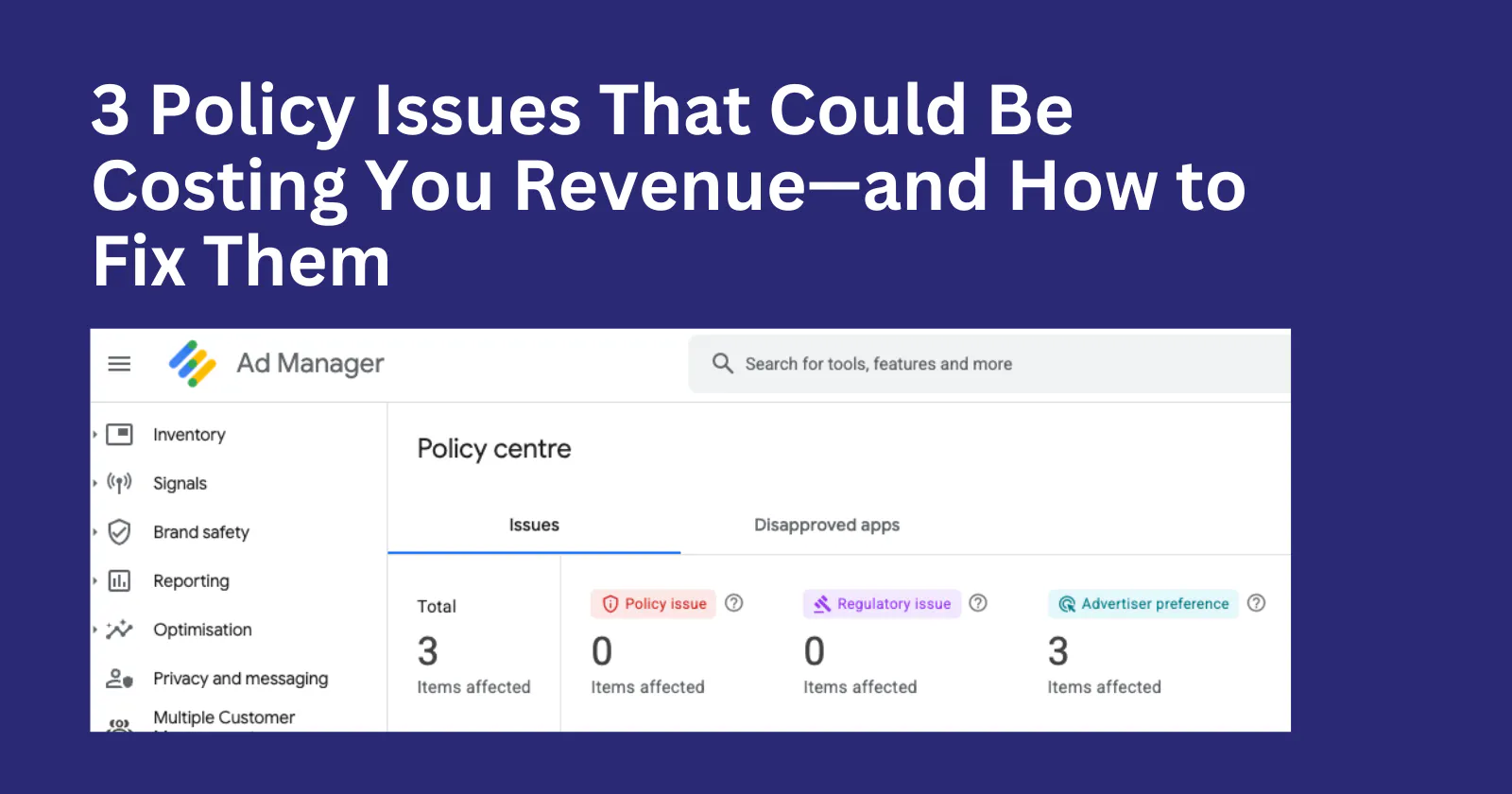
For ad-ops teams, it helps to think about these alerts in three broad categories: Policy issues, Regulatory issues, and Advertiser preferences. Each has a different cause and requires a different response.
1. Policy Issues: Content Violations and Ad Serving Restrictions
Policy issues are the most straightforward: something about your content, traffic, or ad implementation is against Google’s publisher policies.
These can include invalid traffic (IVT), prohibited content, copyright violations, or problematic ad placements such as deceptive or misleading implementations. Think of a content piece about a recent traffic accident with gory images. Or a piece that discuss content around sex.
How enforcement works
Google uses automated systems to monitor publisher websites, including page content, traffic patterns, ad placements, and other signals. Depending on the severity of the violation, enforcement can affect an individual ad unit, page, site, or the wider account.
What you should do
Don’t submit a review and leave the underlying problem untouched.
If the issue is caused by the way an ad is positioned, fix the implementation. If the content itself violates policy, remove or change the offending content. If the problem is related to traffic, investigate the source of that traffic before requesting a review.
The review should confirm that you’ve addressed the problem, not serve as a substitute for fixing it.
Why it matters
Ignoring repeated policy violations can lead to increasingly serious restrictions on your inventory. A problem that starts with a particular page or ad placement can eventually have a much broader revenue impact.
2. Regulatory Issues: Privacy and Consent Problems
Regulatory issues are different. They generally relate to privacy requirements and how your website collects, communicates, and uses user consent information.
For publishers serving users in markets covered by privacy regulations, this can include requirements associated with GDPR in the European Economic Area, US state privacy laws such as CCPA/CPRA, Nigeria Data Protection requirements etc.
A regulatory warning doesn’t necessarily mean that your content is prohibited. It may mean that your consent implementation isn’t working as expected.
Common problems include an incorrectly configured Consent Management Platform (CMP), missing or invalid consent signals, or consent information not being passed correctly through your advertising stack. In my experience, I have seen first hand how this can thank your effort as an Ad Ops professional trying to grow programmatic revenue via Google Ad Exchange.
For publishers operating in Nigeria with audiences in the diaspora, Google CMP formerly Google Funding Choice may be enough to be compliants. For publishers in EU, US and so forth, a third party CMP provider may be necessary for granulated level of user consent management.
Hence, I recommend you always check this to be sure your account is cleared of this.
How enforcement works
Google and other advertising platforms rely on signals from your consent setup when determining how they can process and serve ads to users in regulated markets.
If those signals aren’t being passed correctly, the result can be reduced demand or restricted ad serving.
What you should do
This is where your developer and ad-ops teams may need to work together.

Check your CMP configuration and inspect the browser’s network requests. Confirm that consent information is being generated correctly and passed through the relevant parts of your advertising stack.
If you’re using a header bidding setup such as Prebid.js, don’t stop your investigation at the CMP. Follow the consent signal through the entire chain and confirm that the information is reaching your demand partners and GAM correctly.
Why it matters
Treating a regulatory problem as a content-policy violation won’t fix it.
If the problem is your consent implementation, submitting another policy review won’t solve the underlying issue. You need to fix the configuration or code responsible for passing the required signals.
3. Advertiser Preferences: When Buyers Don’t Want Your Inventory
Advertiser preference restrictions are another category entirely.
These aren’t necessarily violations of Google’s publisher policies or privacy regulations. Instead, they reflect restrictions set by advertisers and buyers who don’t want their campaigns appearing next to certain types of content or on certain websites.
For example, a buyer may exclude categories associated with gambling, politics, adult content, sensitive topics, or particular types of publishers.
How enforcement works
Demand-side platforms and advertisers apply their own brand-safety and targeting rules. GAM can surface information about these restrictions so publishers can understand why certain demand isn’t reaching their inventory.
What you should do
You generally can’t appeal an advertiser’s preference in the same way you would address a Google policy violation.
Instead, look at the commercial impact.
If a particular classification is preventing valuable demand from competing for your inventory, investigate whether the classification is accurate. If it is, decide whether changing the classification makes commercial sense.
In some cases, the right decision is simply to accept the restriction. Protecting your publisher brand may be more valuable than recovering a particular source of demand.
Why it matters
Not every blocked buyer represents a problem that needs to be fixed.
Spending hours trying to resolve an advertiser preference as though it were a Google policy violation can waste your team’s time without recovering any meaningful revenue.
The Bottom Line
The Google Ad Manager Policy Center isn’t just a list of problems to clear.
For an ad-ops team, it’s also a diagnostic tool.
The important thing is knowing what kind of problem you’re looking at before deciding how to respond.
A content violation may require a change to the page. A regulatory issue may require a CMP or code fix. An advertiser preference may simply reflect a buyer’s commercial decision.
Treating all three the same can mean spending time on the wrong problem—and leaving revenue on the table.