4 Ways Sales Teams Can Poach Programmatic Media Buyers with a Free Tool
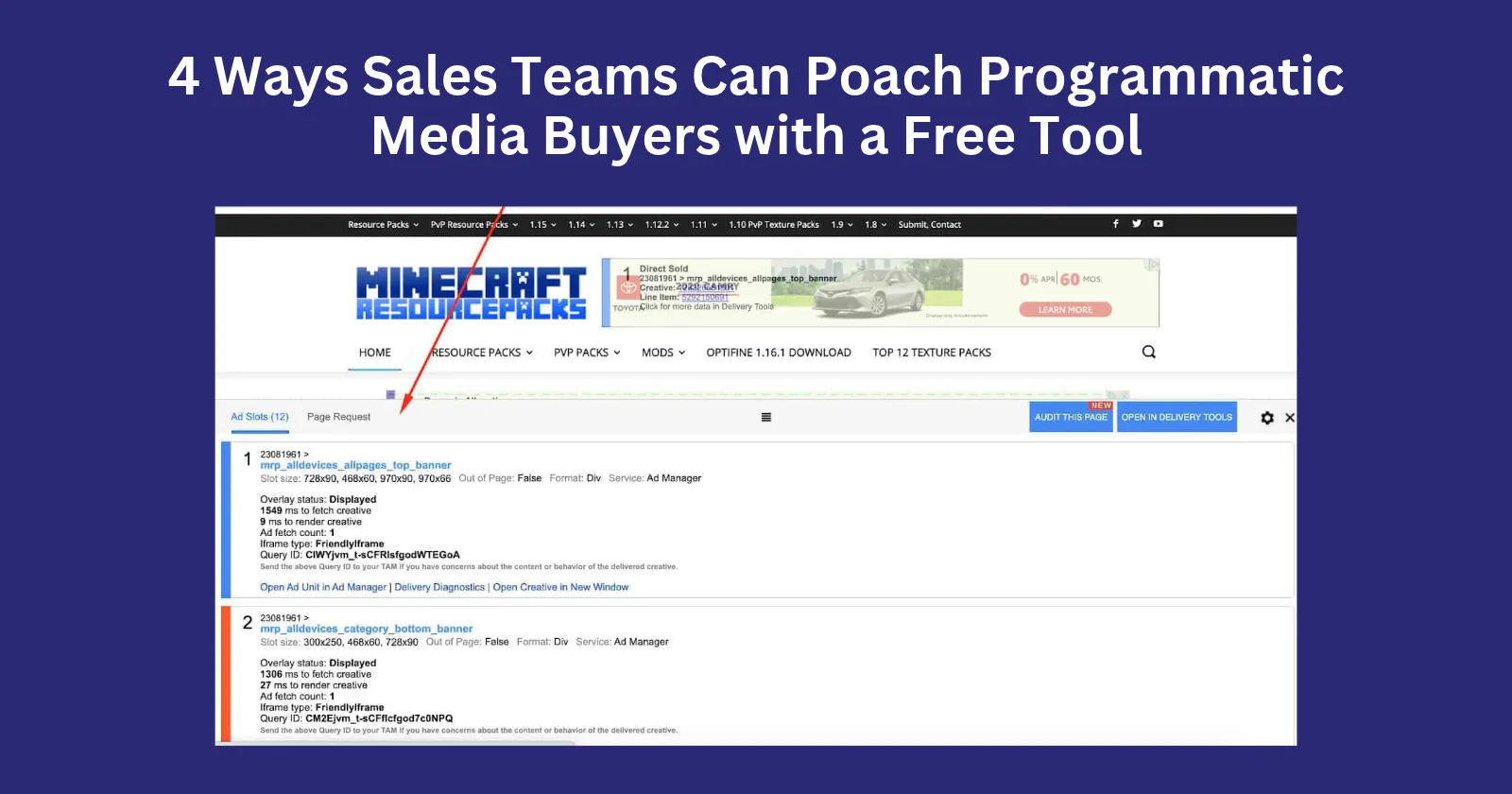
If you are a publisher monetisation sales executive, you likely leave the Google Publisher Console to your AdOps and yield engineering teams. Well, you shouldn’t. While engineers use it to debug latency and broken ad tags, you can use it as a real-time lead generation engine.
When you monetise inventory across regional properties or diverse news domains, relying solely on open-market fill leaves money on the table. The console bridges that gap, allowing you to see exactly which brands are already buying your audience programmatically so you can pitch them high-yield direct deals.
What the Publisher Console Is (and Isn’t)
The Google Publisher Console is a free, built-in diagnostic overlay for web pages running the Google Publisher Tag (GPT) library.
It is not a CRM, a heavy analytics suite, or a third-party spy tool. It is an on-page x-ray that shows you exactly what is rendering in your ad slots, who is buying it, and how the auction was resolved.
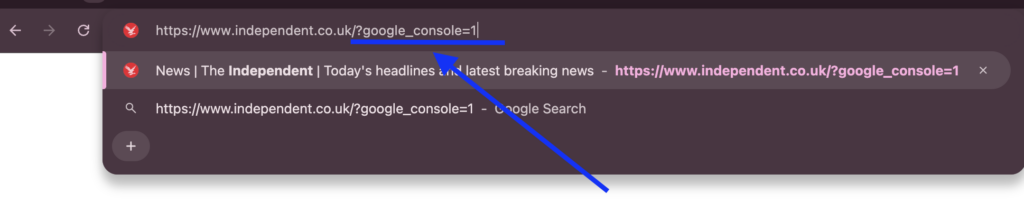
To activate it, you don’t need to install any software. Just navigate to your website, append ?google_console=1 to the end of the URL, and hit enter.
The Sales Angle: Programmatic-to-Direct (P2D)
Once the console is open, the “Ad Slots” tab becomes your intelligence dashboard. Here is how you can build a Programmatic-to-Direct (P2D) pipeline directly from the page:

1. Poach Open Exchange Buyers
The most straightforward play is identifying premium brands buying your inventory on the open market and upgrading them.
-
The Intelligence: Spot a premium ad (like a bank or telco). Look at the overlay on each ad units. If you see Dynamic Allocation, it indicates that the brand is buying media via Google Ad Exchange (AdX) or Open Bidding. Essentially, they are competing in the open auction and settling for lower priority.
-
The Pitch: Contact their media buyer to offer a Programmatic Guaranteed (PG) or Preferred Deal. Position it as a way to bypass the bidding war and secure first-look priority on your highest-viewability ad units.

2. Capture Live Campaign Intelligence
Cold outreach works better with exact context. The console shows you the live Creative ID and the actual asset rendering on the page. If you are working with the Publisher and have access to the Google Ad Manager account, clicking on the Creative ID will show you the creative/banner, which you can then save for later use.
-
The Intelligence: Identify the specific product being pushed (e.g., a specific Q4 retail promotion or a new travel credit card).
-
The Pitch: Instead of sending a generic media kit, pitch a custom content sponsorship or homepage takeover that aligns perfectly with the specific product launch you just saw them spending money to promote.
3. Audit Niche Spend for FOMO
Monitor specific sections of your site—like a newly launched tech vertical or sports category. If you see a major brand buying heavily into that specific content via the open exchange, you can take that data to their direct competitors. Using confirmed competitor spend on a specific vertical is a strong lever to create FOMO and accelerate a direct deal. You don’t need the publisher console for this. Simply grabbing a couple of screenshots at different time can be sufficient.
4. Provide Instant Proof of Execution
For your existing direct clients, the console is a fast quality assurance tool. Instead of waiting for AdOps to pull delivery reports, load the console, verify the client’s Line Item ID is winning the auction, and capture a screenshot showing perfect rendering. If you spot a brand’s programmatic creative loading poorly or breaking your layout, reach out and offer to host their assets directly to guarantee brand safety and faster load times.
The data you need to close premium deals is already rendering on your screen. You just need to turn on the console to see it.